Git & GitHub Workflow + Auth Service Folder Setup
Professional Git workflow, issues, pull requests, and backend folder structure for FinFlow

What I Learned
1. Git Branching Strategy
We used GitHub Flow, which is simpler than GitFlow and ideal for small teams and projects.
Branch Types:
main or master→ production-ready codedev→ integration branchfeature/<name>→ new featuresfix/<name>→ bug fixesdocs/<name>→ documentation changes
Workflow:
Create a feature branch
Make changes
Commit frequently
Push branch
Create Pull Request (PR)
Merge to
devMerge
dev→mainduring deployment

2. Writing Good Commit Messages
Good commit messages communicate the why behind a change, not just what changed.
Format:
<type>: <short description>

[optional body]
Types:
feat:new featurefix:bug fixdocs:documentationchore:small taskrefactor:code restructure
Example:
feat(auth): add user model with bcrypt hashing
3. Pull Requests (PRs)
A pull request is a proposal to merge changes from one branch to another.
PR Must Include:
What you built
Files changed summary
Testing instructions
Screenshots (if UI)
Notes:
Avoid force-pushing to a PR
Use topic branches for PRs
Draft PRs cannot be merged
Mark PR ready for review when complete
4. GitHub Issues
Every task becomes an issue, which acts like a to-do list inside GitHub.
Labels to Use:
featurebugbackendfrontendpriority-highdocumentation
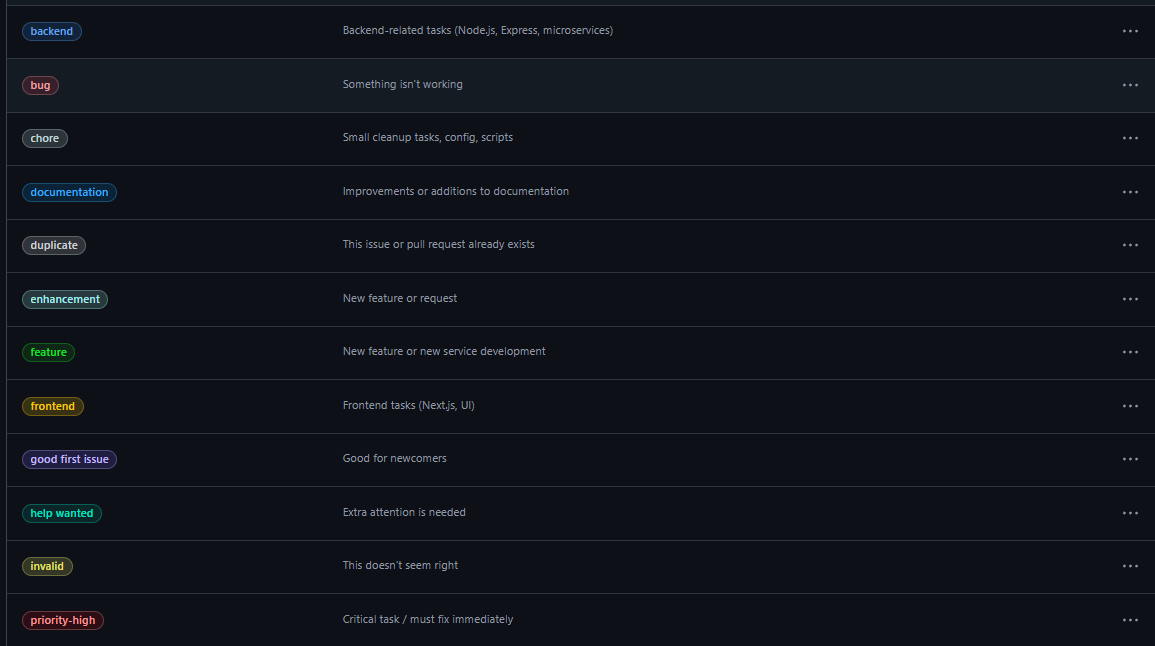
Why Issues Matter:
Track progress
Assign labels
Link issues to pull requests
Maintain a professional workflow
What I Built Today
1. GitHub Repository
finflow-microservicescreatedBranches:
main,dev, and feature branches
2. Issues Created
Setup Auth Folder Structure →
backend, featureSetup Frontend Skeleton →
frontend, featureAdd README Structure →
docsSetup Environment Variables →
backend, feature
3. Auth Service Folder Structure Implemented
backend/auth/src/
  config/
    db.js
  controllers/
    auth.controller.js
  models/
    user.model.js
  routes/
    auth.routes.js
  utils/
    response.js
  index.js
4. Basic Auth Service Setup
Express server configured
MongoDB connection in
config/db.jsHealth check route implemented
5. Git Workflow Applied
Feature branch
feature/auth-structurecreatedChanges committed with proper commit messages
Pull Request created → merged into
dev
Tech Used
Git
GitHub
Node.js
Express
MongoDB
Summary
Day 2 focused on setting up professional Git workflow, organizing the backend Auth service, and applying best practices for commit messages, PRs, and issues. This workflow sets the foundation for a maintainable and scalable FinFlow system.


